Clinical supervision skills: A guide to effective practice



Published July 29, 2026

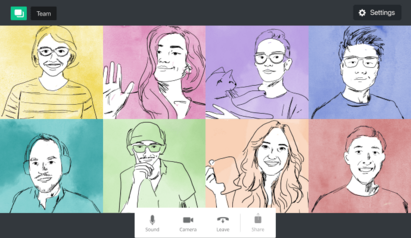
Remote work has become a standard operating model for many private practices. Whether you're working with administrative support, virtual assistants, billing specialists, marketing professionals, or other contractors, managing a remote team requires more than simply assigning tasks and checking deadlines.
The most successful remote teams are built on alignment, shared purpose, and a commitment to excellence.
In my own leadership, I refer to this as building a “team of 10s”—a group of professionals who consistently operate at the highest level of their expertise, professionalism, and performance.
A team of 10s is made up of individuals who not only excel in their respective roles, but also align with the organization’s mission, values, and standards. They take ownership of their work, communicate effectively, and contribute positively to the overall team culture.
When you surround yourself with people who bring that level of excellence, it creates an environment where high performance becomes the norm rather than the exception. When that foundation is in place, remote teams can work independently while remaining connected to a shared vision. Virtual practice leadership team members understand how their individual contributions support broader organizational goals, making collaboration more effective and accountability more natural.
Remote team management begins long before systems and workflows are introduced; it begins with hiring.
In a “team of 10s” model, hiring is less about filling a role and more about selecting virtual practice leadership for alignment. Technical skill is important, but it’s not the highest filter. The highest filter is whether the individual demonstrates excellence, professionalism, reliability, and alignment with the mission of the practice.
This means looking for team members who have already demonstrated a track record of high-quality work, clear communication, and the ability to operate independently. It also means assessing whether they understand and respect the client experience you’re trying to create. When you get this part right, remote team management becomes significantly easier because you’re no longer trying to motivate or correct misalignment; you are simply supporting execution.
Once a team is formed, building connection becomes a strategic priority. In remote teams, relationships don’t develop organically in the same way they do in shared physical spaces, so building team connection has to be intentionally designed into how the team is led and how communication is framed.
In my own practice, this does not show up as forced bonding activities. Instead, it shows up in consistent, organic moments of human awareness.
When managing a remote team, I make it a point to acknowledge people as people, not just role titles. That can look like brief check-ins that include life updates or cultural moments, space at the beginning of meetings for real conversation, or intentional recognition of wins and milestones in a way that reinforces both contribution and value.
Team connection in virtual practice management is also built through what I call relational context-setting. Before team members ever formally work together, they already have a sense of each other. I consistently reference who is on the team, what each person is responsible for, and the quality of work they bring. I “connect the dots” out loud. So when cross-functional collaboration happens, it’s not an introduction into strangers—it’s a continuation of an already familiar ecosystem.
When my branding director connects with my web designer or communications team, there is already familiarity and respect that has been built through how their work has been named and positioned. This kind of remote team management reduces friction and eliminates the awkwardness that can happen in remote environments where people are technically aligned but relationally disconnected.
Over time, these intentional practices—naming people, affirming their contributions, and making role interdependence visible—create a remote team culture that feels cohesive even when most of the work is done independently.
One of the most overlooked aspects of virtual practice leadership is helping people understand the meaning of their work inside the larger ecosystem of the practice. In a private practice, it’s easy for contractors to stay in their lane.
An executive assistant may be responsible for managing the calendar, coordinating priorities, and supporting the broader flow of active projects. A communication specialist may take pieces of those projects and translate them into messaging that lands clearly for the intended audience. A branding director is holding a different but equally important lens, ensuring that overall brand integrity remains consistent across everything being produced and shared.
Without context, these roles can become task-based instead of mission-aligned. People are simply executing their piece without always seeing how it connects to the larger system they’re contributing to.
Effective remote team management requires consistently connecting those dots so that individual contributors understand the larger landscape of the work they are supporting. When people can see how their role fits into the broader practice, they tend to operate with more consideration, coherence, and excellence across the system.
Once alignment is established and connection and meaning-making are in place, communication tools become the structure that supports execution.
In my practice, I keep communication intentionally simple and centralized within the Google Suite ecosystem. This allows for real-time collaboration and easy access across the team using shared domains and permissions.
Email is used for formal communication, documentation, and work that requires more focused, asynchronous attention. Google Chat is used for quick updates, clarifications, and day-to-day coordination between individual contributors. Google Drive allows for shared access to documents, real-time editing, and centralized storage so that everyone is working from the same version of information.
When needed, we use Zoom for video meetings, whether that is for structured team check-ins or occasional virtual co-working sessions when collaboration requires more immediate, shared presence. The goal is not to overcomplicate the system, but to keep communication clear and accessible.
In a team of 10s, accountability is not driven by surveillance, but by professional respect and ownership. Rather than tracking every activity, effective remote team management focuses on outcomes: what the goal is, what needs to be completed, when it is completed, and the quality of execution.
Regular check-ins provide the structure for this process, including weekly team meetings and periodic one-on-ones focused on progress, barriers, and support needs. When expectations are clear and the right people are in place, accountability becomes self-sustaining.
While remote teams can function effectively without frequent in-person meetings, occasional gatherings can strengthen cohesion. Annual retreats, planning sessions, or focused team-building activities can deepen relationships and reinforce shared identity. These moments strengthen alignment to the vision and culture-building and are a part of effective remote team management.
For private practices, remote work must also include strong attention to confidentiality and security. Every team member should understand expectations around HIPAA compliance, data protection, secure communication, and appropriate handling of client information. Clear protocols around passwords, device security, and access control are essential.
In practice, this might look like requiring two-factor authentication on shared accounts, restricting client file access to only those who need it, and using a HIPAA-compliant platform for scheduling, notes, and billing rather than piecing together consumer-grade tools. These standards protect both clients and the integrity of the practice.
Remote team management is about curation. When you build a team of 10s, you are selecting for excellence, reinforcing alignment, and creating systems that allow people to do their best work. In that kind of environment, remote work becomes an extension of a well-led, high-performing practice.
SimplePractice is HIPAA-compliant practice management software with everything you need to run your practice built into the platform—from booking and scheduling to insurance and client billing.
If you’ve been considering switching to an EHR system, SimplePractice empowers you to run a fully paperless practice—so you get more time for the things that matter most to you.
Try SimplePractice free for 30 days. No credit card required.
Dr. LaWanda Hill is a licensed psychologist, founder, speaker, and media contributor specializing in Black women’s mental health, leadership, and workplace culture. She helps high-achieving women and organizations address burnout, imposter syndrome, workplace challenges, and life transitions through culturally responsive strategies that promote sustainable well-being and growth. Dr. Hill's experience spans higher education, psychiatric care, correctional settings, and community mental health. A former host of Late Night Love on FOX Soul, she is a trusted voice on mental health, relationships, leadership, and workplace dynamics.





Proudly made in Santa Monica, CA © 2026 SimplePractice, LLC
Proudly made in Santa Monica, CA © 2026
SimplePractice, LLC